Configuring The Plugin
An extension normally offers a so called Plugin for the output of the data.
A plugin is a content element, that can be placed on a page like a text element
or an image. It is a "virtual" collection of one or more actions.
These actions could lie completely in different controllers.
In our example there is only one controller action combination, namely StoreInventory->list.
This combination is registered in the file ext_localconf.php, that we
create in the top level of our extension directory.
<?php
defined('TYPO3_MODE') || die('Access denied.');

call_user_func(
    function () {
        \TYPO3\CMS\Extbase\Utility\ExtensionUtility::configurePlugin(
            'MyVendor.StoreInventory',
            'Pi1',
            [
                'StoreInventory' => 'list',
            ],
            // non-cacheable actions
            [
                'StoreInventory' => '',
            ]
        );
    }
);
With the first line we prevent of security reasons, that the PHP code can be called directly outside of TYPO3.
The static method configurePlugin() of the class offers several arguments.
With the first we assign the extension key, which stand by in the global variable
$EXTKEY (it follows from the name of the extension directory) prefixed by the vendor namespace followed by a dot. This indicates, that we use namespaces for our php classes.
With the second argument we give an unique name for the plugin (in UpperCamelCase notation).
Because of historical reasons there is often used Pi1, but maybe it is better to use more meaningfull
names like "InventoryList".
This is used later to clearly identify the plugin amongst other plugins on the page.
The third argument is an array with all controller action combinations, the plugin
can execute. The array key is the name of the controller (without the suffix Controller)
and the array value is a comma separated list of all actions that are executable by the plugin.
In our case this is the list action (also without the suffix Action).
Thus the array array('Inventory' -> 'list') allows to execute the method listAction()
in the \MyVendor\Inventory\Controller\InventoryController by the plugin.
Per default all results of the actions are stored in the cache. If it is not desired for
individual actions they can be specified by a fourth, optional argument.
It is an array that has the same format as the previous. Now all actions are listed whose
results should not be stored in the cache.
Note
Technically this is solved, that in the automatically generated TypoScript code a condition is added that if necessary call Extbase either as content object of the type USER (cached) or of type USER_INT (not cached). If you are on the quest of caching problems it is worth to look at the generated TypoScript.
After that the registration of the plugin follows, so it appears in the selection box
of the content element Plugin. For this we insert the following line into a new file Configuration/TCA/Overrides/tt_content.php:
<?php

\TYPO3\CMS\Extbase\Utility\ExtensionUtility::registerPlugin(
    'MyVendor.StoreInventory',
    'Pi1',
    'The Store Inventory List',
    'EXT:store_inventory/Resources/Public/Icons/Extension.svg'
);
The first argument is like the method configurePlugin() again the vendor namespace and extension key
and the second is the name of the plugin. The third argument is an arbitrary, not to long,
title of the plugin for the selection box of the content element. After installation of the
extension we can insert the plugin on a page. Don't forget to set the sys folder, in which the
products are stored, as the starting point (in our case "Inventory") in the plugin.
Otherwise your products are not found (see figure 4-4).
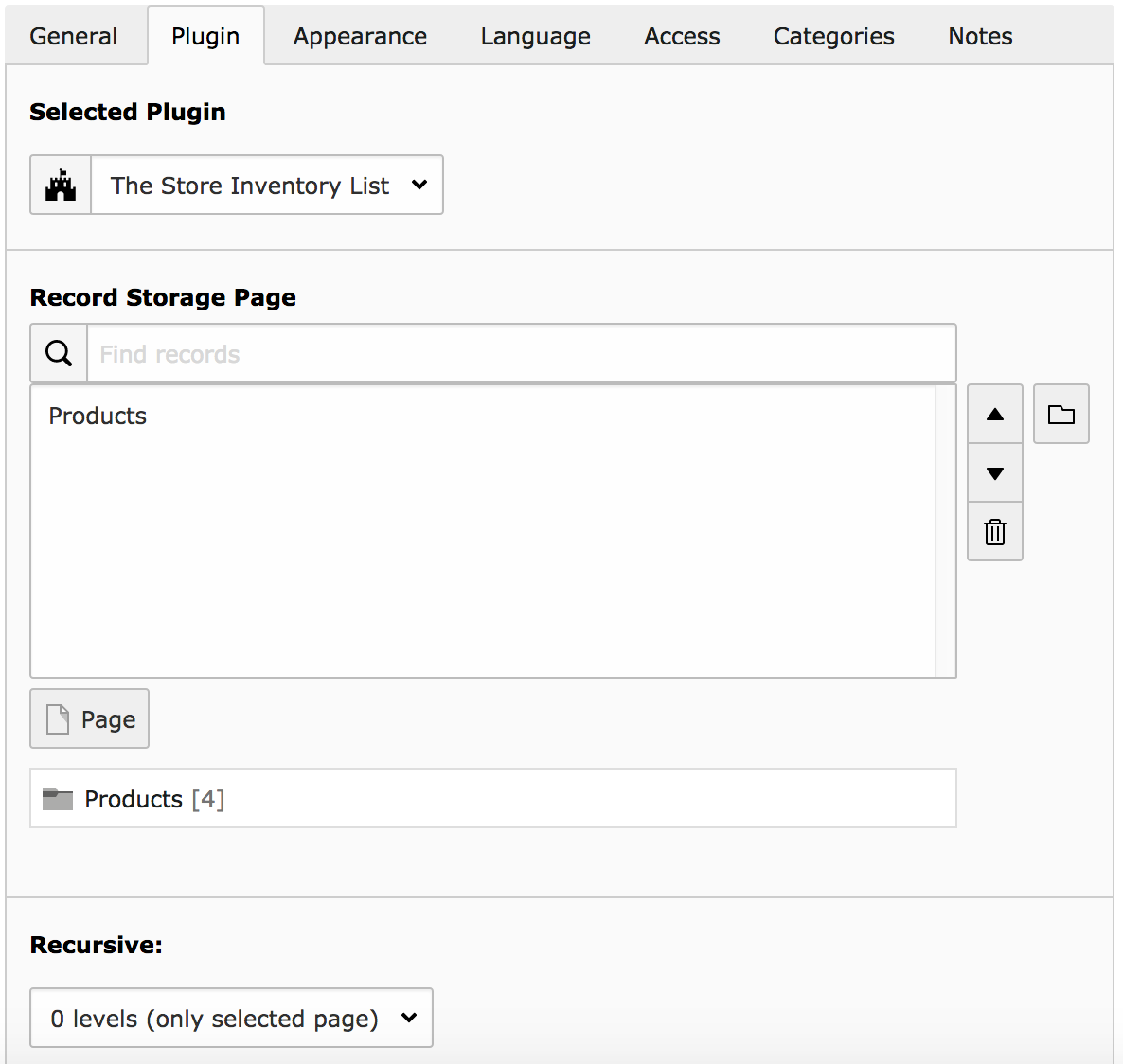
Figure 4-4: Our plugin appears in the selection box of the content element.
The next call of the page, with the plugin on it, shows the inventory as a table (figure 4-5).
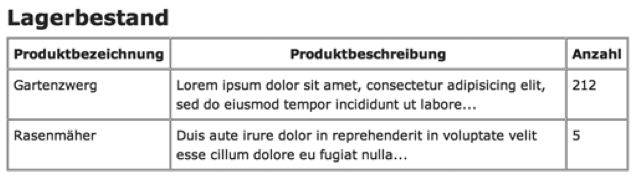
Figure 4-5: The output of the inventory in the front end
With this the first little Extbase extension is finished. The example was intentional held simple. It illustrate the important steps and the conventions we have to observe. For a full-grown extension there are some ingredients missing:
- Real domain models have a high complexity. (Products for example have different prices and are assigned to product categories.)
- Multiple different views have to be generated (single view, list view with search and so on).
- The user of the web site should interact with the data by different modes (edit, create, sort and so on).
- Input from the web site user has to check (validate) for consistence.
The sample extension we show from chapter 5 on, is significant multifaceted.